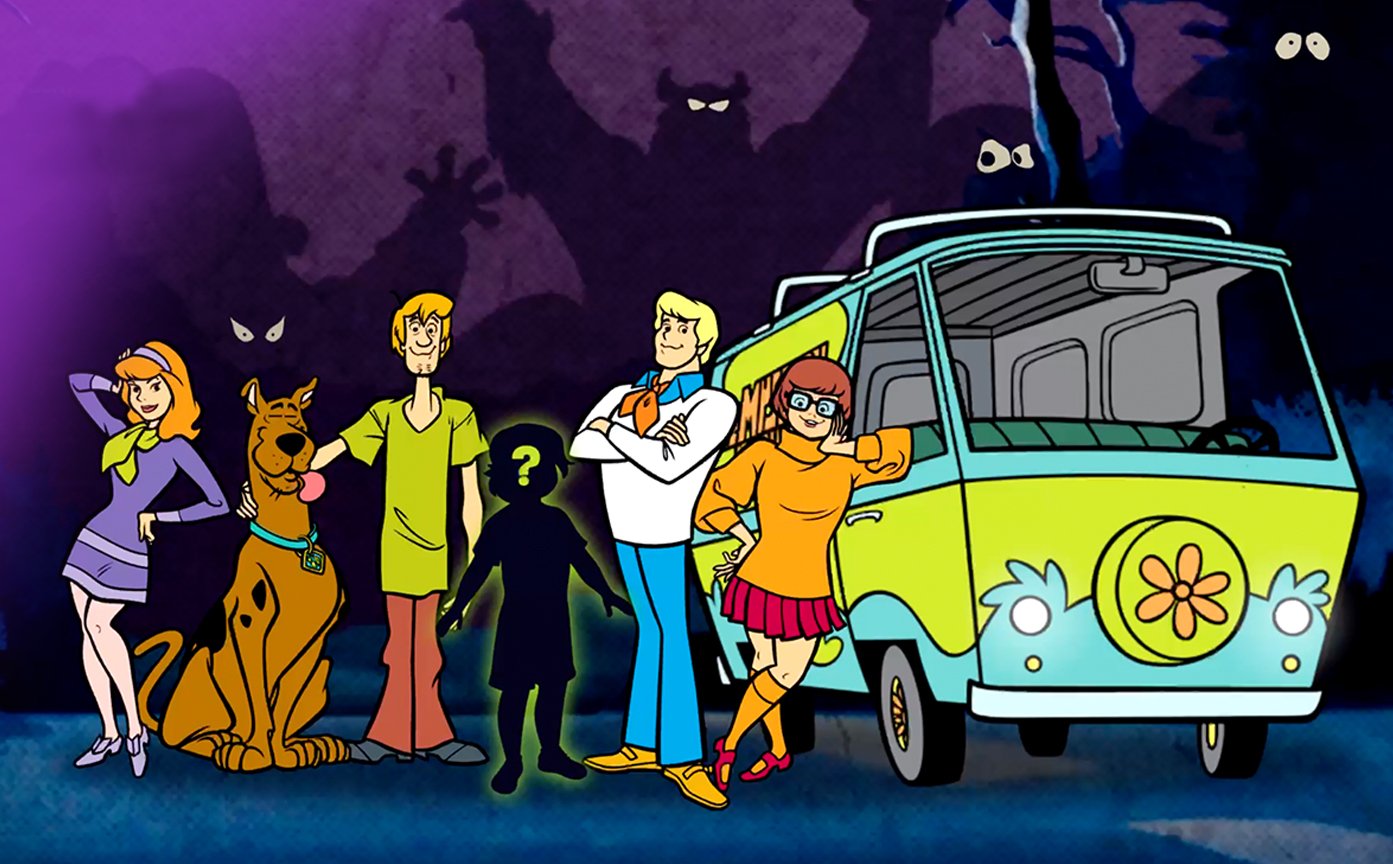
Scooby-Doo Character Studio
A character system that had to look like 1970s Scooby-Doo, even after the fan mixed every trait in the library.





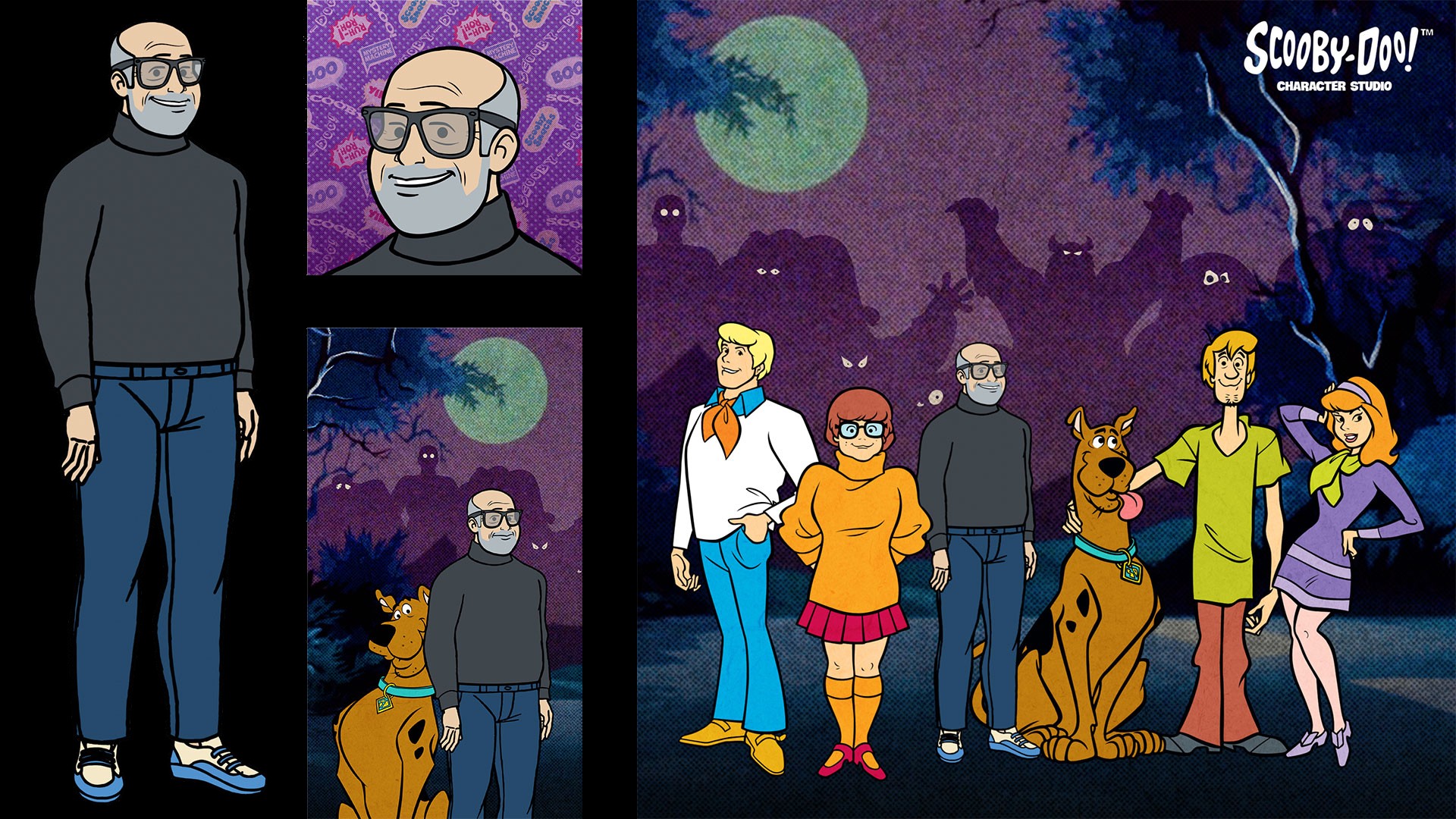
Fans open a web app, talk to Scooby and Shaggy, build a Mystery Inc. style avatar, and can buy a shirt, a poster, or a custom book with that character in the original Scooby-Doo classic adventure, "What a Night for a Knight".
The illustration team supplied the base character art: ten A-pose body types and their trait sets. The website had to drive the combinations. In the middle of that, the Blender side had to turn ten A-pose bodies into a system that could assemble, rig, pose, preview, QA, and render thousands of possible characters that still read as Scooby-Doo no matter what the fan picked.
Building that system was my job.
What we shipped
What I did
The problem was not making one Scooby-Doo character. The problem was making thousands of combinations look like they belonged in the same book. Ten body types. Three-quarter and profile. Thousands of valid combinations. If trait 12 meant one thing on the website and another thing in Blender, the wrong character rendered.
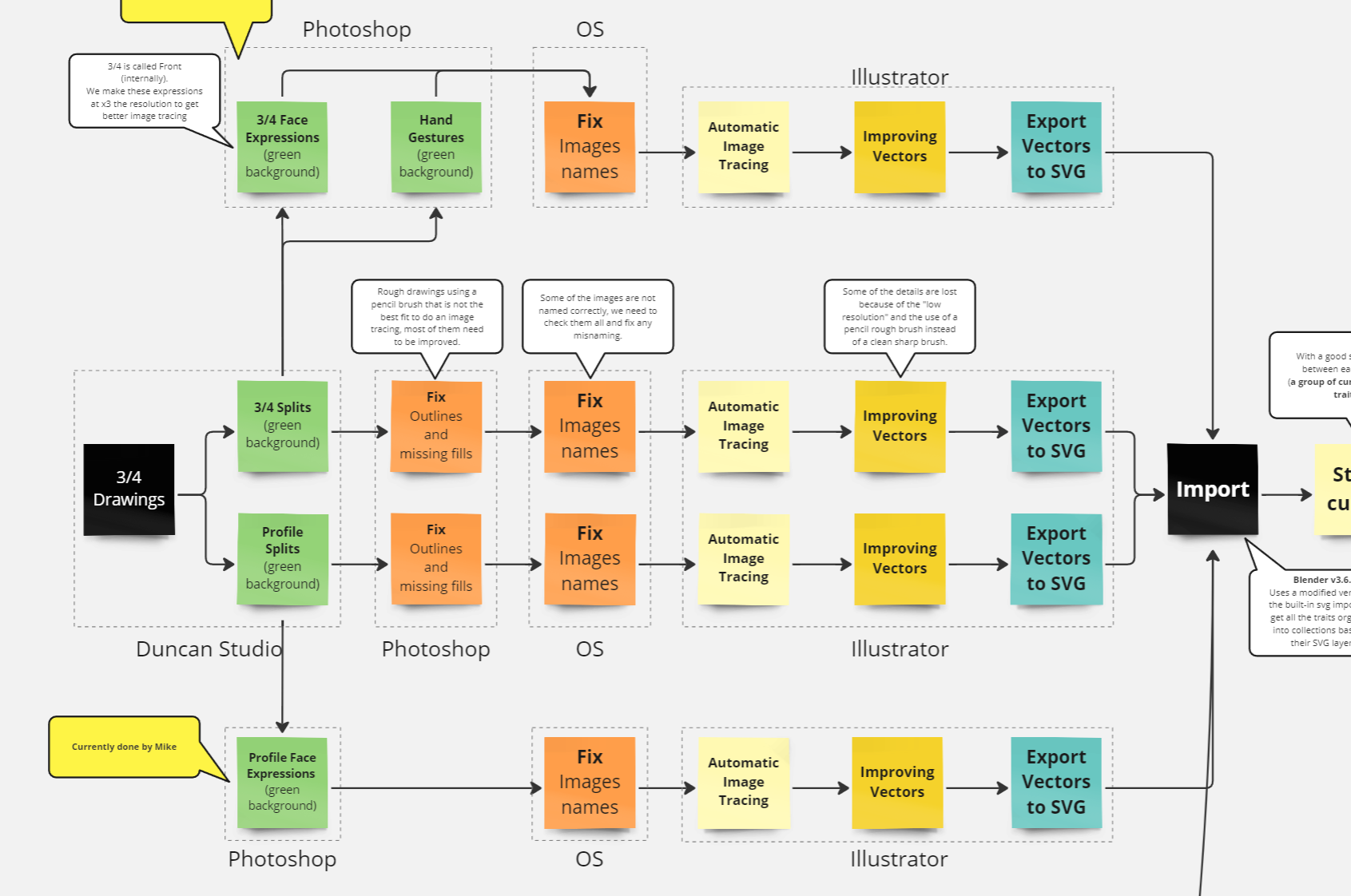
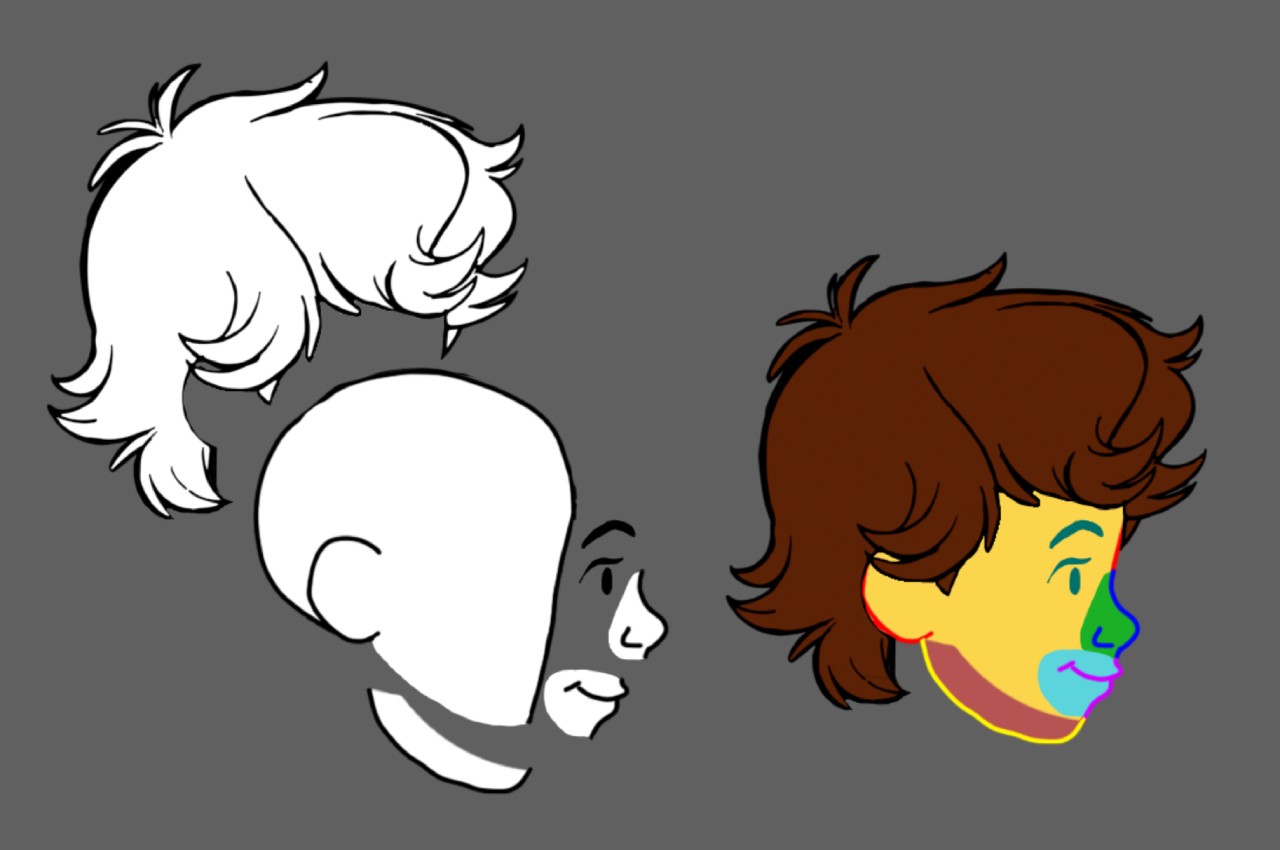
I defined how traits had to be built so they would survive the rest of the pipeline: profile heads and hair, expressions, hand gestures, shoe profiles, eye direction, alignment, consistent scale. Then I worked with the illustration team on why the vector lines and fills had to be constructed a certain way, because a bad split or scale mistake upstream would break every pose downstream.
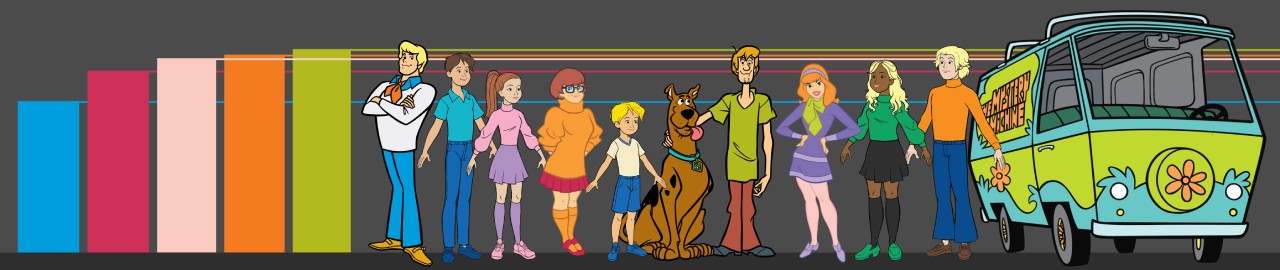
I also locked the character size references used to keep the body types in proportion with the Mystery Inc. cast. A Small body could not suddenly tower over the gang, and a Large still had to feel like it belonged in the same show.
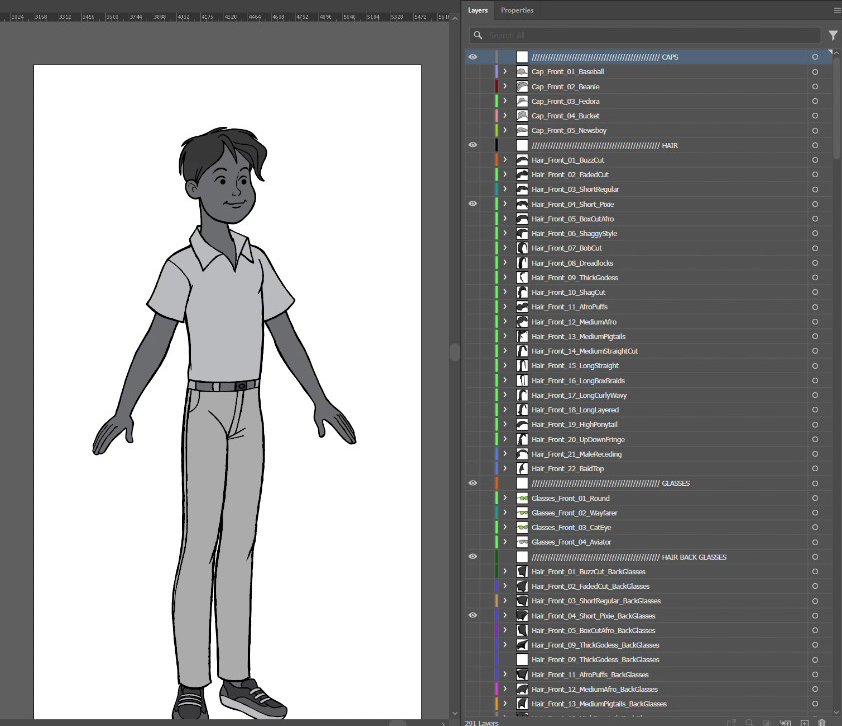
On the art side I wrote Illustrator automations so we were not tracing and layering every trait by hand. The main tracer took batches of green-background drawings, ran them through a Scooby-specific tracing setup, and organized the resulting vectors onto named Illustrator layers. What had been a repetitive manual cleanup and setup job became a batch process. In testing, work that had been taking most of a day to trace and organize manually could come back processed in minutes. That turned into a small Illustrator toolkit: expression and profile setup, hair/cap helpers, layer utilities, named expression-sheet exports, and whatever else kept becoming repetitive enough that it was a wasted effort to keep doing by hand.
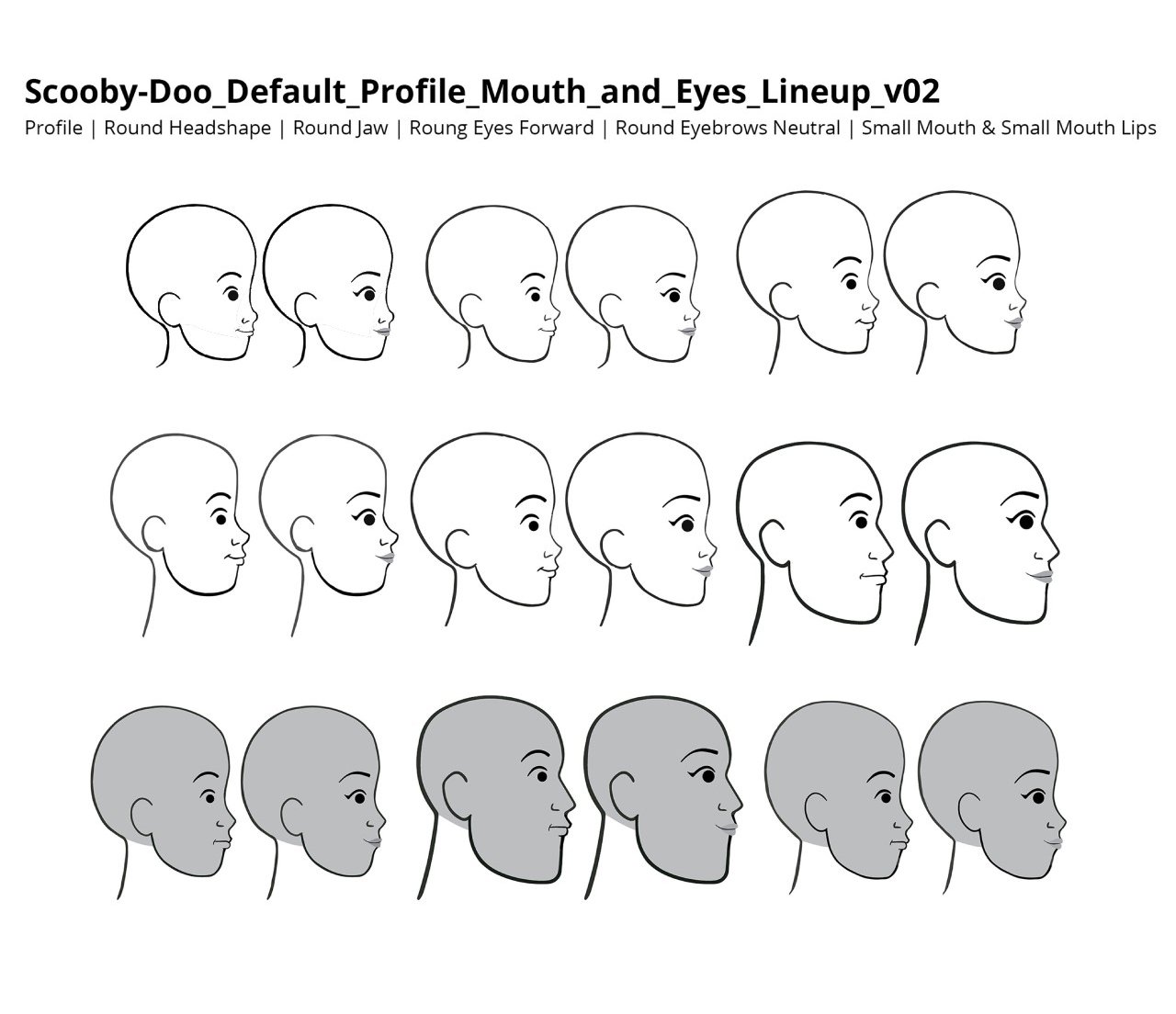
Then I built the Blender Character Builder and modified Blender's SVG importer so the Illustrator output could come into Blender in a predictable way. The final steps were:
- SVG in
- Shapes sorted into named collections
- Converted to clean meshes
- Materials assigned
- Lattices and bones placed
- Automated armature setup
- Shape-key mixes for the combinations that would never look right as independent stickers
Hair plus a cap is the obvious example. Treating them as two independent traits produced clipping and broken silhouettes. Drawing every combination was not an option, so I built Hair + Cap + Pose corrections into the toolkit using shape keys. The system could start from reusable traits and correct the combinations that needed special treatment.
I kept expanding the Character Builder: pose and rest controls, pose rendering, trait indexes, line thickness per trait and per pose, pose libraries, profile/front filters, and trait-color controls. We were dealing with tens of thousands of trait/pose combinations, and artists and QA would find another edge case worth turning into a tool instead of fixing by hand forever.



Blender was not there to make the characters look 3D. It gave a huge library of 2D traits a rig, deformation system, pose library, camera setup, and renderer, while also handling pose corrections and trait combinations. It was also a tool the artists already knew. The final characters still had to preserve the graphic language of 1970s Scooby-Doo: the silhouettes, line weight, color shapes, proportions, and very specific way those characters were drawn and posed.
I helped design the trait indexes and naming conventions that Blender and the website relied on, then owned their implementation and validation on the Blender side. The renderer depended on both systems agreeing on trait indexes and color values, so I built the Blender side to make those mismatches traceable when the character data drifted between systems.
I also ran the posing/QA operation. I set up the QA workflow, training, pose maps, references, and tracking sheets. I also built a Blender tool that grabbed each character's working file and rendered every possible combination of traits across all the poses into organized output for QA. Instead of spot-checking a few combinations and hoping for the best, we could work through the full matrix against the same guidelines. Then I assigned work, reviewed poses, and personally updated the ones that had to match franchise taste: expressions, line thickness, hair and cap collisions, and the expanded pose set.
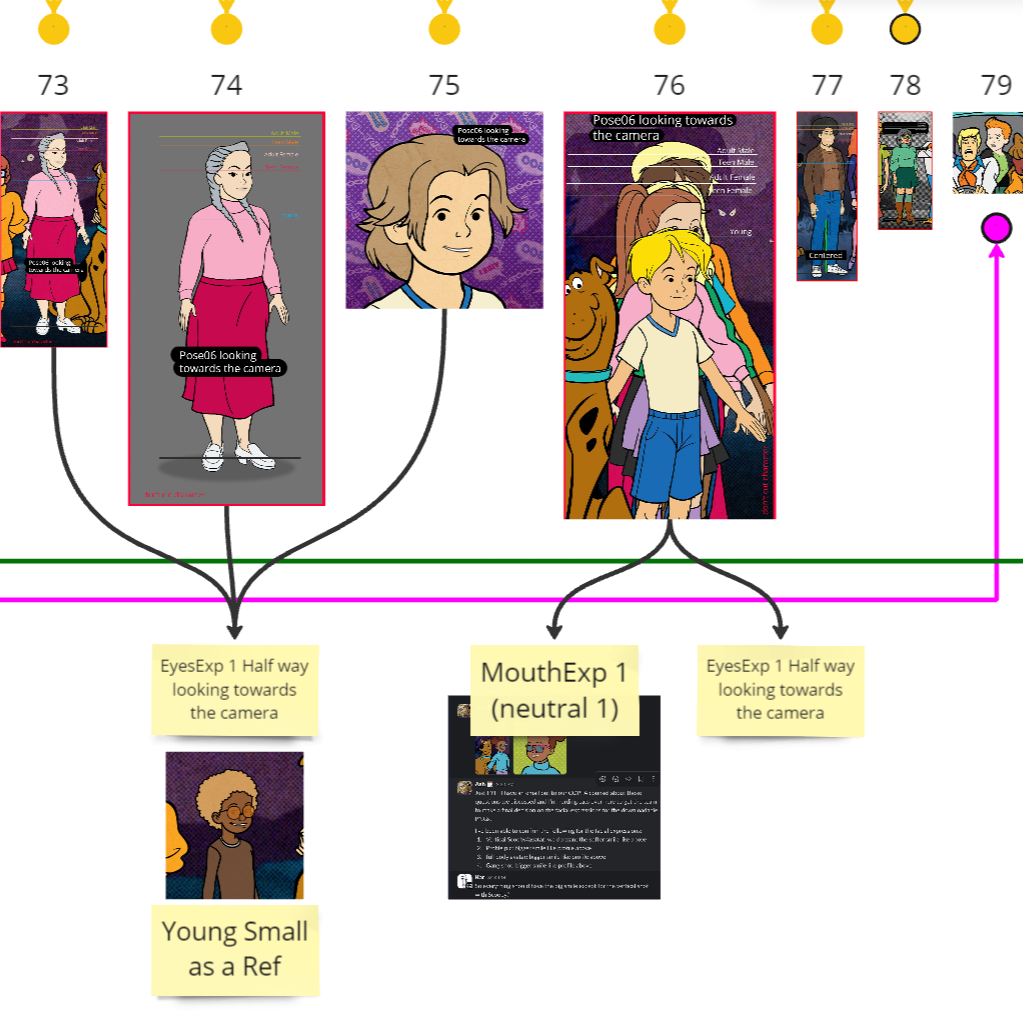
After the Character Builder made the characters and poses, those assets went into separate Blender-side production tools I built for the actual products.
The book was its own system. I built a Blender Book Handler that could assemble the full book from the page artwork, organize and control the page elements, store ordering and placement values, handle cameras and overlays, jump directly to specific pages or review them as spreads, swap character poses so we could test alternatives immediately, and render the complete book locally. It also grew tools for the cover and back-cover text, because by the end we were not manually putting together a hundred-page book every time something changed.
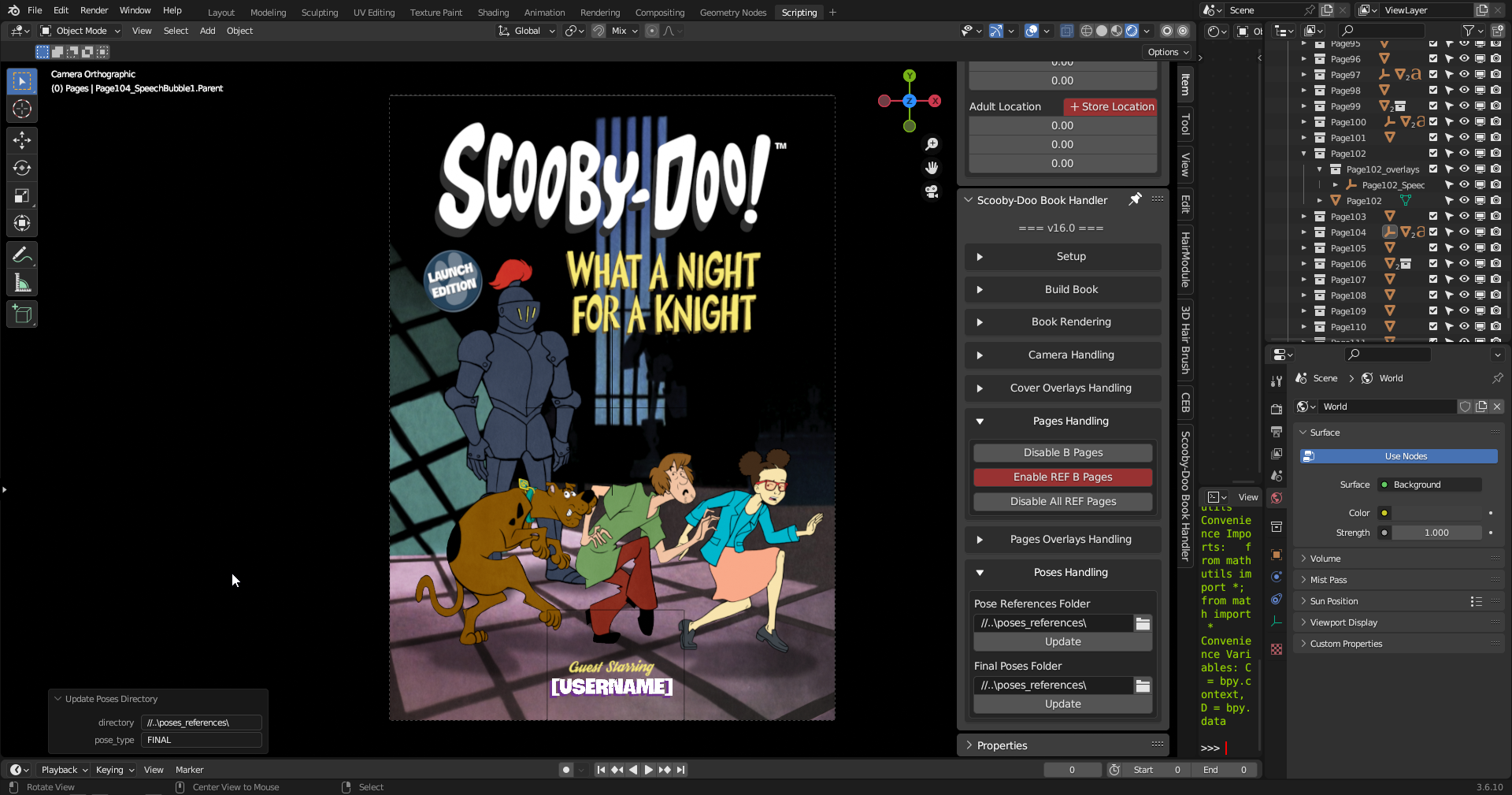
Merchandise had a separate, lighter toolset. It consumed the same posed characters, but had its own compositions and rendering requirements for the shirts, hoodies, posters, previews, and final assets. Simpler than the book, but still its own production system rather than an extension of the Character Builder.
I also built local QA around both systems and worked with development to make sure the server-rendered versions matched what we were producing locally, because a bad combination is worse if it ships printed.
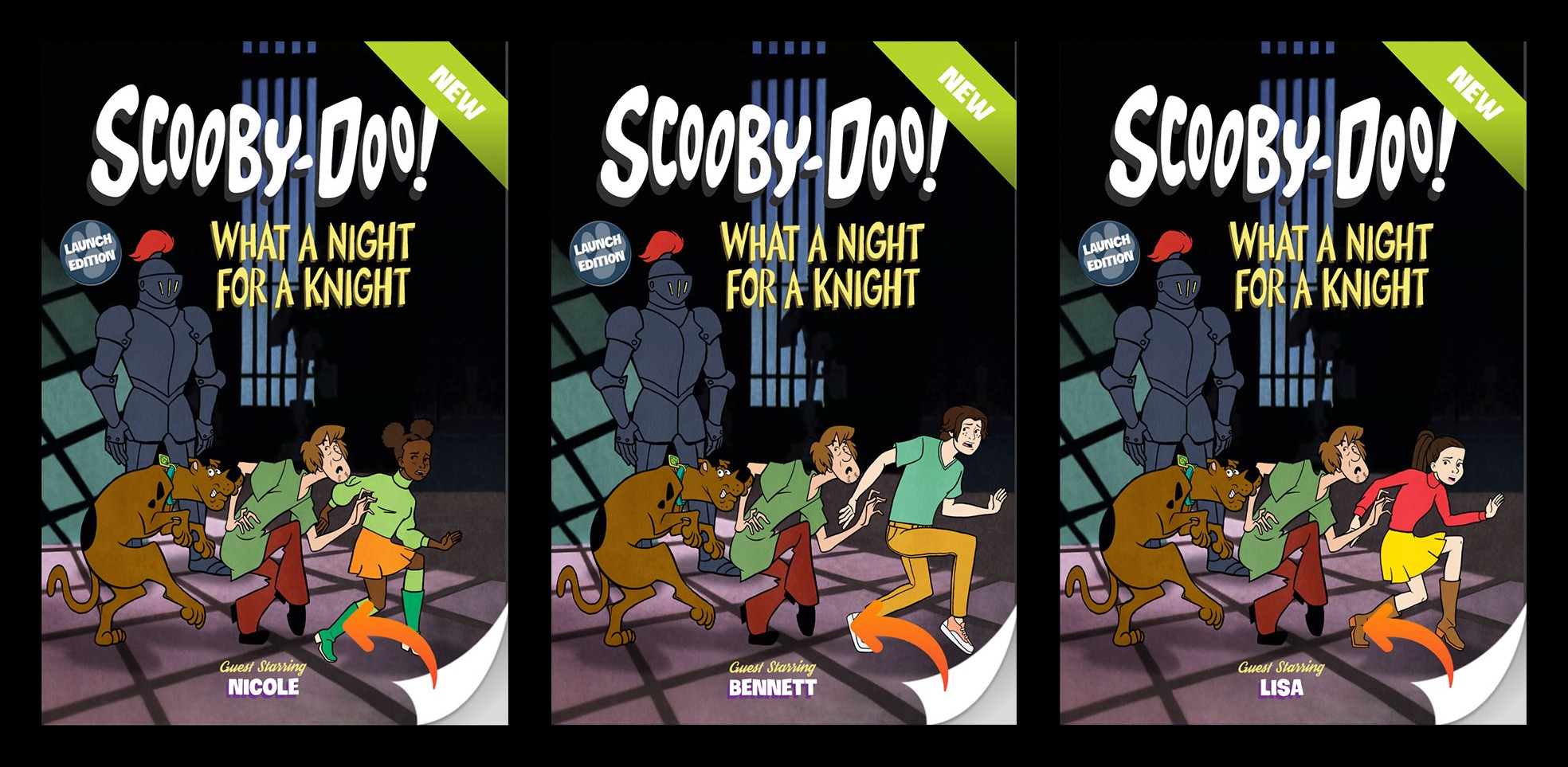
Constraints that mattered
The art had to hold the 1970s line look after it was assembled and deformed in Blender. Thin lines, white gaps, overlapping traces, bad fills, or the wrong line weight became very obvious once they landed in a book or on merch.
Hair, caps, expressions, and poses could not be treated as independent stickers. A combination could look fine in rest position and completely break when the head turned, an arm crossed the body, or a cap changed the silhouette.
Ten body types still had to feel like the same character system. Heads, eyes, mouths, shoes, hair, and overall scale needed consistent relationships even though the actual geometry changed from body to body.
Every pose also had to survive framing. Different bodies and hairstyles changed the character bounds, so cameras, output resolution, and safe areas had to account for the largest combinations without cutting things off.
Blender and the website had to agree on the exact trait indexes and color values. Close enough was a different character. A null color, reversed dual color, or one trait in the wrong index order could make the website and the renderer produce two different people.
The book added another layer of problems. Page order, story branches, overlays, speech bubbles, character placement, cropping, resolution, cover text, and print margins all had to survive automation. The character could be perfectly fine and the final book could still be wrong because one page used the wrong branch, an overlay was out of order, or a pose was cropped badly.
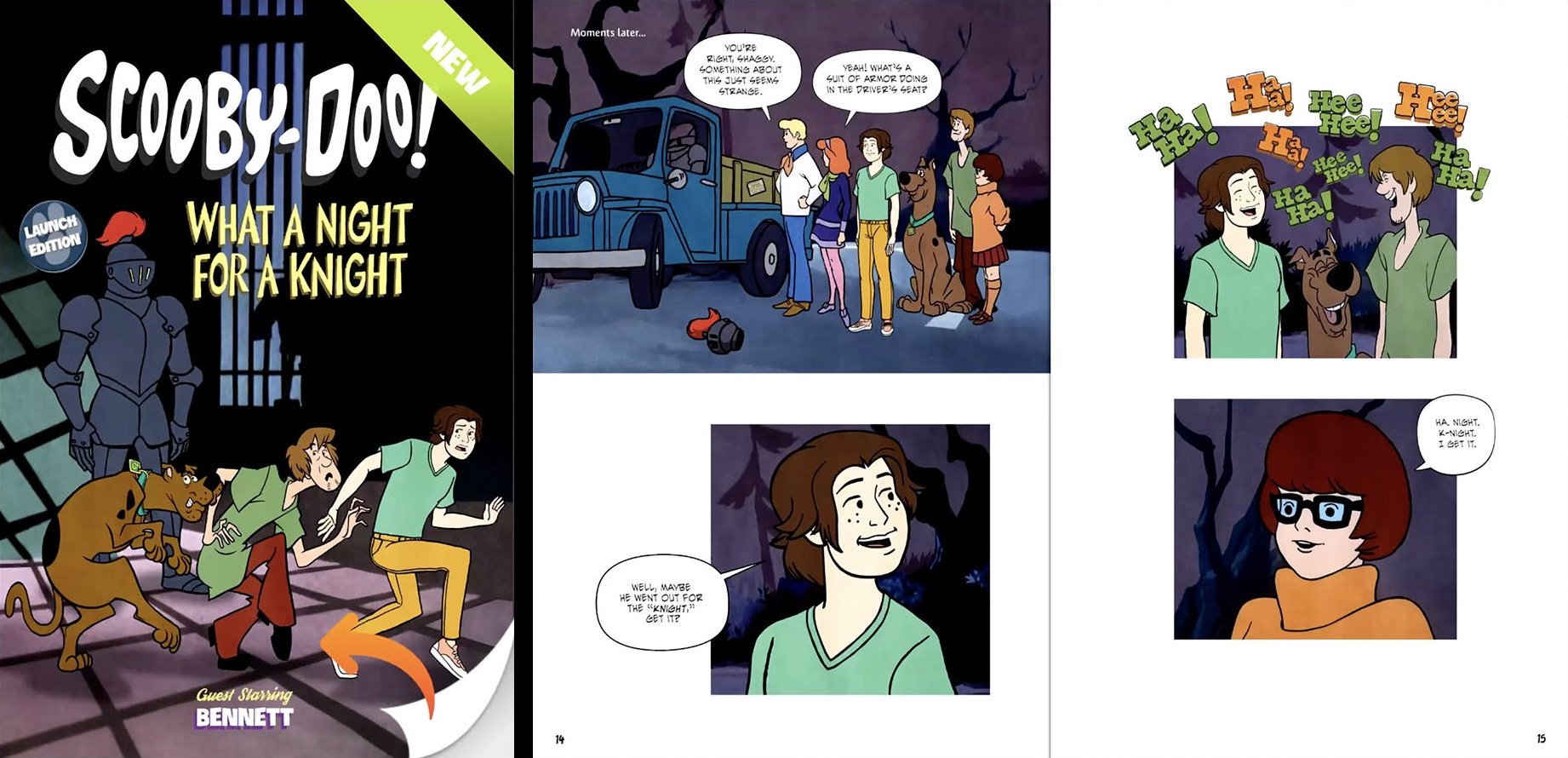
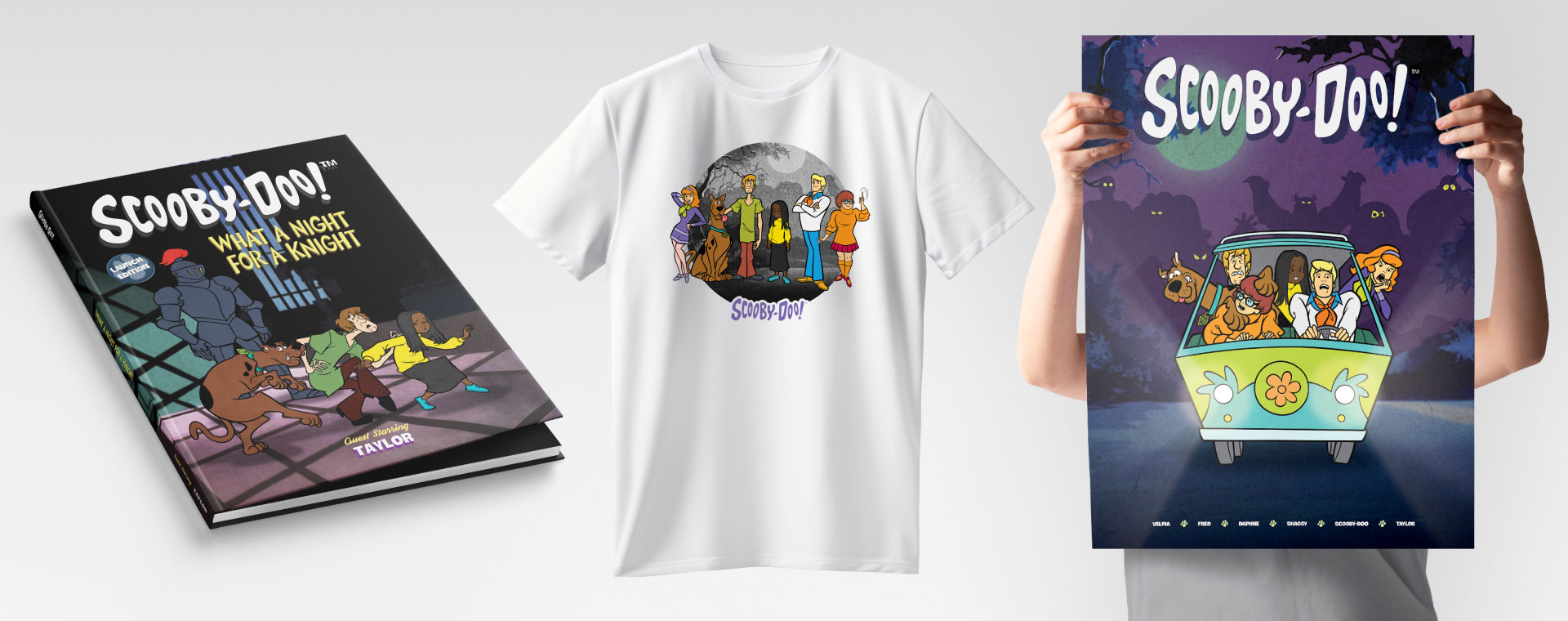
And the final output was not just a preview on a screen. Books and merchandise could become physical products. A combination that slipped through QA could get printed.
How we split it
The illustration team created the base character artwork and the additional art the production needed. Several artists rigged, posed, and polished assigned body types using the workflow and tools I built, while the development team handled the website and backend implementation. I was responsible for the Illustrator automation, Blender character system and toolkit, Blender-side trait/index conventions, rigging and posing pipeline, QA tooling and final QC, and leading the posing team. I also built the Blender-side Book Handler and merchandise tools used to assemble, preview, QA, and render the product artwork. The development side handled the server implementation and integration that connected those Blender outputs back to the website.
Awards
The production received an Honorable Mention at the 2025 Hermes Creative Awards (Electronic Media / Web Creative / Use of Multi-Media).